Engineering
Intel vs. AMD: Which Processor Should You Actually Buy?
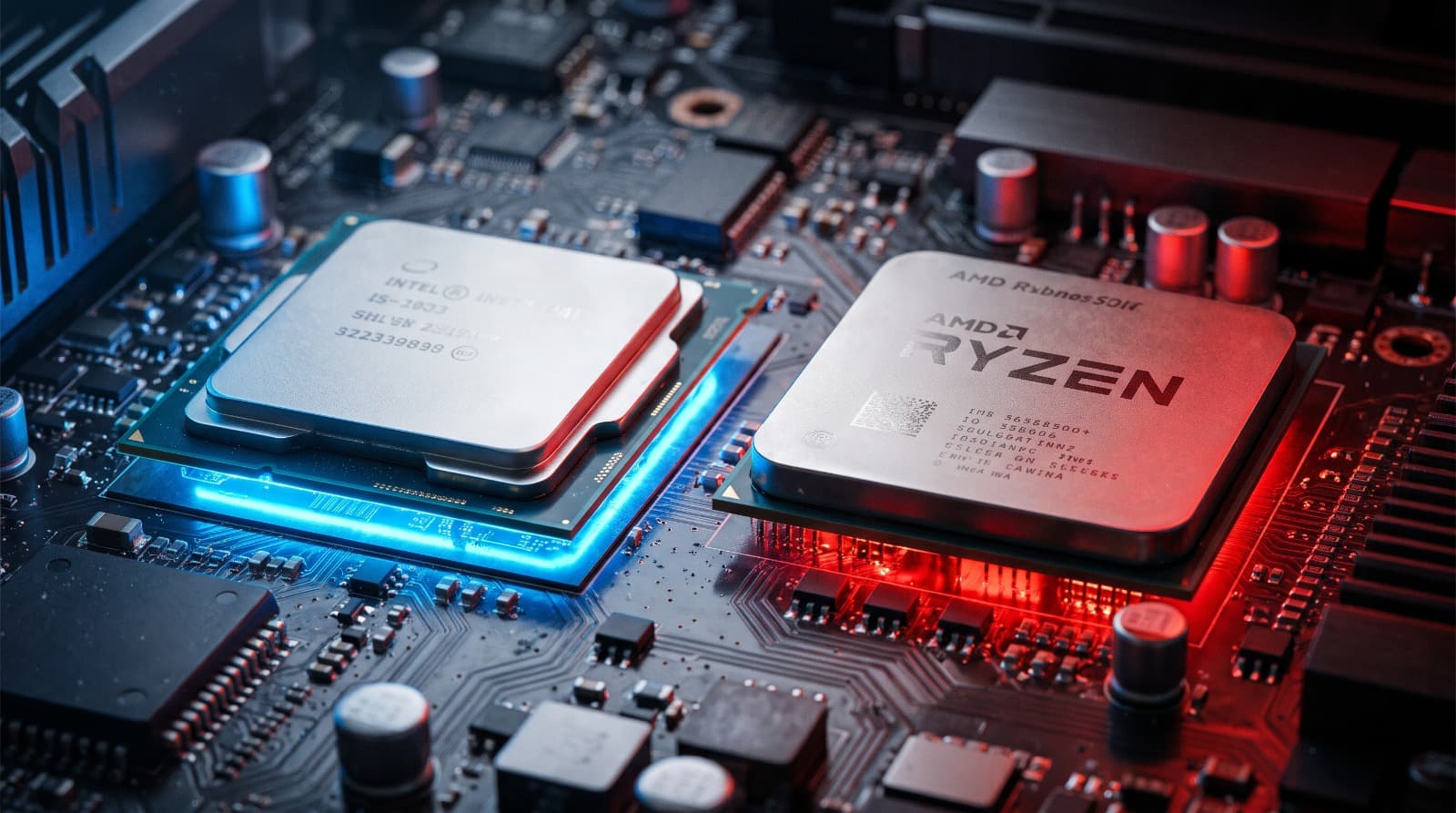
If you are planning to build a new rig or pick up a high-performance laptop, you are going to hit the same wall every PC enthusiast eventually faces: Team Blue or Team Red?
For years, this debate was incredibly one-sided. Intel dominated the market, and AMD was viewed as the budget-friendly underdog. But the landscape has completely flipped. Today, it is an all out arms race. Both companies are putting out incredible silicon, but they are doing it with two entirely different philosophies.
Here is the no-nonsense breakdown of how Intel and AMD compare right now, and how to choose the right one for your specific workload.
The Architecture: How They Actually Work
Before looking at benchmarks, you need to understand how these chips are built, because it dictates how they perform in the real world.
Intel’s Hybrid Approach: Modern Intel processors use a "big.LITTLE" architecture. They pack two different types of cores onto a single chip: Performance cores (P-cores) for heavy, demanding tasks like gaming and video rendering, and Efficiency cores (E-cores) for background tasks like Discord, web browsers, and OS updates. This allows Intel to throw a massive number of cores at a problem while theoretically keeping power consumption in check when idling.
AMD’s Chiplet Design: AMD takes a different route. Instead of building one massive chip, they build smaller "chiplets" and glue them together. Their Ryzen processors prioritize incredibly strong, uniform cores. More importantly, AMD has mastered a technology called 3D V-Cache (found in their "X3D" chips), where they physically stack extra memory directly on top of the processor. This allows the CPU to access game data almost instantly without waiting on your system RAM.
Gaming Performance: The X3D Advantage
If your primary goal is pushing maximum frames per second at 1080p or 1440p, the conversation usually ends with AMD.
Thanks to that massive 3D V-Cache on chips like the Ryzen 7 7800X3D and its successors, AMD currently holds the crown for pure gaming performance. Games love fast-access memory. When a game engine needs to calculate physics, load textures, or track player movements, AMD's extra cache drastically reduces stuttering and pushes frame rates higher than the competition.
Intel is by no means bad at gaming their high-end Core i7 and Core i9 chips are blistering fast. But they rely on raw clock speeds and brute force to get there, which means they consume significantly more power and generate a lot more heat to match AMD’s gaming numbers.
Productivity and Creator Workloads
If you are a web developer compiling large codebases, a video editor rendering 4K timelines, or a 3D artist running Blender, the narrative shifts.
Intel’s P-core/E-core hybrid architecture shines in multi-threaded productivity tasks. Applications like Adobe Premiere Pro and complex code compilers can heavily utilize the sheer volume of threads Intel provides. Furthermore, Intel's Quick Sync feature (built into their integrated graphics) is a massive asset for video editors, offering incredibly smooth playback and encoding times that AMD struggles to match out of the box.
AMD’s higher-end chips (like the Ryzen 9 series) are still productivity monsters, but for an all around workstation where time is money, Intel's raw multi-core brute force often takes the edge.
Power Draw and Thermals
This is where you have to think about the rest of your build.
Modern Intel chips run extremely hot. If you buy a top-tier Intel processor, you cannot cheap out on cooling. You will need a high-end dual-tower air cooler or a 360mm AIO liquid cooler, plus a beefy power supply to feed it.
AMD's Ryzen chips, particularly the X3D variants, are remarkably power-efficient. They draw significantly less wattage under full load, which translates directly to less heat dumped into your room and a lower electricity bill. You can comfortably cool a high-end AMD gaming chip with a standard air cooler.
Upgradability and The "Socket" Tax
When you buy a processor, you are also buying into a motherboard platform.
Intel has a notorious habit of changing their motherboard sockets every two generations. If you buy an Intel motherboard today, there is a very high chance you will have to throw it away and buy a new one when you want to upgrade your CPU in three years.
AMD is the king of platform longevity. Their previous AM4 socket lasted for over five years, allowing users who bought a motherboard in 2017 to drop in a brand-new, top-tier processor in 2022 without changing any other parts. Their current AM5 platform promises similar long-term support. If you care about upgrading your PC piecemeal over the next decade, AMD is the much smarter financial investment.
The decision ultimately comes down to your primary use case. If you are building a dedicated gaming machine and want the absolute smoothest frame rates with low power draw, go with AMD. If you need a versatile productivity workhorse for video editing, heavy multitasking, and fast code compilation, Intel’s hybrid architecture is the way to go.
Test Your Knowledge!
Click the button below to generate an AI-powered quiz based on this article.
Did you enjoy this article?
Show your appreciation by giving it a like!
Conversation (0)
Cite This Article
Generating...