Technology
Passwords Are Dying - The Future of Passwordless Authentication
You have a secret you can never remember.
It is supposed to contain at least eight characters, at least one uppercase letter, at least one number, at least one symbol, and it must not resemble any of the previous twelve passwords you used on this account. It should be completely unique, not used on any other website. It should be impossible to guess. It should be changed every ninety days. And under no circumstances should you write it down anywhere.
You have approximately 100 of these secrets. Maybe more.
If this sounds less like security and more like a form of low-grade digital punishment that you endure dozens of times a week, you are not alone. And you are not wrong. The password, invented in the 1960s, unchanged in its fundamental nature for sixty years, is one of the most broken systems in modern technology. Not because the concept was bad when it was invented. Because the world it was invented for no longer exists.
The good news is that passwords are dying. Not slowly. Not metaphorically. Actively, measurably, irreversibly dying, being replaced by a new generation of authentication technologies that are simultaneously more secure and more convenient than anything involving a secret string of characters has ever managed to be.
This is the story of that transition, why passwords failed, what is replacing them, how the new systems work, and what it means for the way you prove who you are online.
How We Got Here: The Password Problem in Full
The password was invented at MIT in the early 1960s by Fernando Corbató, who needed a way for multiple users to access a shared computer system while keeping their files private. The solution, a secret word known only to the user, was simple, practical, and entirely adequate for the problem it was solving.
Corbató, who won the Turing Award in 1990, later described the password as "kind of a nightmare" in retrospect. He was right. The nightmare has several distinct dimensions, each of which has compounded the others over sixty years.
The Volume Problem
When passwords were invented, a person might have one or two. A researcher might have a handful. In 2026, the average person manages between 80 and 100 password-protected accounts, and that number has been growing steadily for years (NordPass, 2023). No human being can meaningfully remember 100 distinct, complex, unique secrets. What people actually do, reuse passwords, use simple passwords, use variations of the same password, is a perfectly rational response to an unreasonable demand, but it creates catastrophic security vulnerabilities.
The Breach Problem
When a website stores your password and that website gets hacked, which happens with extraordinary regularity, your password is exposed. If you used the same password on other sites (which most people do, despite knowing they should not), those accounts are now compromised too. This is called credential stuffing, attackers take lists of breached username-password combinations and try them systematically across hundreds of other websites, exploiting the near-universal habit of password reuse.
The scale of the problem is staggering. The Have I Been Pwned database, which tracks publicly disclosed data breaches, contains more than 14 billion compromised accounts as of 2026 (Hunt, 2026). Your email address and at least one of your passwords are almost certainly in there.
The Human Engineering Problem
Even a strong, unique password offers no protection against phishing, the technique of tricking users into entering their credentials on a fake website that looks like a real one. Phishing is responsible for the majority of account compromises in enterprise security incidents. According to the Verizon Data Breach Investigations Report, phishing is involved in more than 80% of reported security incidents globally (Verizon, 2024). A password, no matter how complex, cannot protect you if you type it into the wrong box.
The Management Problem
The only correct response to the password problem, using a unique, random, complex password for every account, stored in a password manager, is itself a single point of failure. If your password manager account is compromised, every account you own may be vulnerable. If you forget your master password, you may lose access to hundreds of accounts simultaneously. The solution to a broken system has become another system with its own category of failures.
The conclusion that the security community has reached, gradually, reluctantly, and then with increasing conviction, is that passwords are not merely inconvenient. They are architecturally broken. The problem is not bad implementations of a good idea. The problem is that the underlying model, a shared secret that users must remember and websites must store, is fundamentally unsuitable for the scale and threat environment of the modern internet.
What Is Replacing Passwords?
Passwordless authentication is not a single technology. It is a family of approaches, unified by a common principle: proving who you are without transmitting a secret that can be stolen, guessed, or leaked.
The dominant technologies in this family in 2026 are passkeys, biometric authentication, hardware security keys, and magic links, each with different strengths, different use cases, and different levels of adoption.
Passkeys: The Technology That Changes Everything
If there is one technology that represents the definitive replacement for passwords, it is the passkey, and understanding how it works, even at a high level, explains why the security community is so enthusiastic about it.
A passkey is based on a branch of cryptography called public-key cryptography, which uses a mathematically linked pair of keys, a public key and a private key, to verify identity without either party needing to share a secret.
Here is how it works, without the mathematics:
When you create a passkey for a website, your device generates a pair of mathematically linked keys. The private key stays on your device, it never leaves. The public key is sent to the website and stored there. When you want to log in, the website sends your device a random challenge, essentially a unique puzzle. Your device uses the private key to solve the puzzle and sends the solution back. The website verifies the solution using the public key it already has. If the solution is correct, you are authenticated.
The critical insight is this: no secret is ever transmitted. The private key never leaves your device. The website never sees it. There is nothing to steal from the server side, the public key stored on the server is useless without the private key. There is nothing to phish, you cannot be tricked into entering your private key on a fake website because it is never typed anywhere. And there is nothing to guess, the private key is a complex cryptographic value, not a human-memorable word.
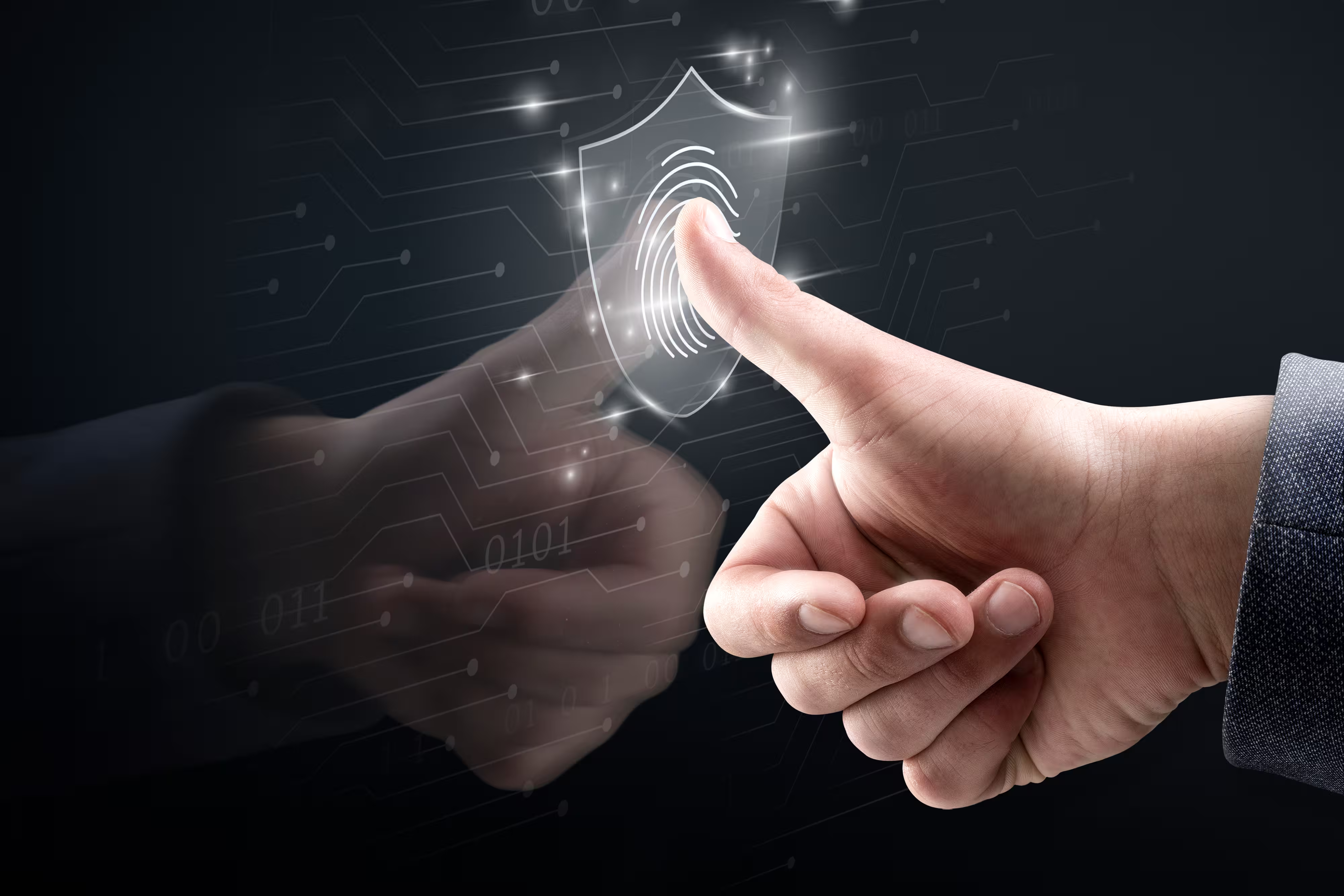
To use a passkey, you authenticate locally on your device, using your fingerprint, your face, or your PIN. This local authentication unlocks the private key, which then handles the cryptographic challenge. From the user's perspective, logging in feels like unlocking your phone: you look at the camera or touch the sensor, and you are in.
The FIDO Alliance, the industry consortium that developed the passkey standard, backed by Apple, Google, Microsoft, Amazon, and dozens of other major technology companies, published the WebAuthn specification that underlies passkeys and that is now supported by every major browser, operating system, and device platform (FIDO Alliance, 2023).
How Passkeys Work Across Your Devices
One of the early concerns about passkeys was fragmentation, what happens if your passkey is on your phone and you need to log in on your laptop? The answer, which has been refined significantly since passkeys were first introduced, is elegant.
Passkeys are synchronised across your devices through your cloud ecosystem, iCloud Keychain for Apple users, Google Password Manager for Android and Chrome users, and equivalent systems from Microsoft. When you create a passkey on your iPhone, it is available on your Mac. When you create one on your Android phone, it is available on your Chrome browser on any device.
For cross-device scenarios, logging into a website on a computer using your phone, a QR code or Bluetooth proximity check allows your phone to act as the authenticator for a nearby computer, without the passkey ever leaving your phone.
Biometric Authentication: Your Body as Your Password
Biometric authentication, using physical characteristics such as fingerprints, facial recognition, iris patterns, or voice, has become ubiquitous in consumer technology and is now a central component of the passwordless transition.
Critically, biometric authentication in modern secure systems does not work the way many people assume. Your fingerprint or face scan is not stored on a server where it could be stolen. Instead, biometric data is processed and stored locally on your device, in a secure hardware enclave that is isolated from the rest of the device's operating system. The biometric is used to unlock your device or your private key, not transmitted anywhere.
Apple's Face ID and Touch ID, Android's fingerprint and face unlock systems, and Windows Hello all operate on this principle: the biometric stays on the device, in protected hardware, and is never shared with websites or applications. When you use Face ID to log into a banking app, the app receives a cryptographic confirmation that your biometric check passed, it never sees your face data.
This architecture, biometric authentication that is entirely local and never transmitted, addresses the most serious privacy concern about biometrics, which is the risk of a database of face scans or fingerprints being breached.
Hardware Security Keys: The Gold Standard for High-Risk Accounts
For accounts with the highest security requirements, executive email accounts, cryptocurrency wallets, accounts with access to sensitive infrastructure, hardware security keys represent the strongest form of passwordless authentication currently available to individuals.
A hardware security key is a small physical device, resembling a USB drive or a key fob, that stores cryptographic keys in tamper-resistant hardware. To authenticate, you plug the key into your device or tap it against your phone's NFC sensor. No password is required. No phishing attack can succeed, the key only responds to the legitimate domain it was registered with, so even the most convincing fake website cannot fool it.
YubiKey, produced by Yubico, is the most widely used hardware security key. Google's own internal security programme, which mandated hardware security keys for all employees in 2017, reported zero successful phishing attacks among its workforce in the years following the mandate (Elie, 2019). This result, zero phishing successes across one of the most targeted organisations on the internet, is one of the most compelling data points in the case for hardware-based authentication.
Magic Links and Email Authentication
For services where the highest security is not required, magic links provide a simple and effective passwordless experience. Instead of entering a password, you enter your email address, receive a single-use link via email, and clicking that link logs you in.
Magic links shift the security burden to your email account, the security of the authentication is only as strong as the security of the email address it is sent to. For this reason, magic links work best for lower-stakes applications, or as a fallback mechanism rather than a primary authentication method for sensitive accounts.
Variations include one-time passcodes (OTP), a short numeric code sent by email or SMS that expires after a short period. These are familiar from two-factor authentication, and when used as the primary authentication method rather than a second factor, they provide a password-free login experience with reasonable security for most consumer applications.
The Adoption Story: How Fast Is This Actually Happening?
Passkeys and passwordless authentication are not future technology. They are present technology with rapidly accelerating adoption.
Apple introduced passkey support in iOS 16 and macOS Ventura in 2022. Google introduced passkey support across Android and Chrome in 2023. Microsoft introduced passkey support across Windows and Edge in 2023. These three companies collectively provide the operating system and browser for approximately 95% of internet-connected devices globally, meaning the technical infrastructure for passkeys is essentially universal.
Major services have followed. Google enabled passkeys for all Google accounts in 2023 and made passkeys the default sign-in method in 2024. Apple ID supports passkeys. Amazon, PayPal, GitHub, Shopify, and hundreds of other major services have introduced passkey support. The FIDO Alliance reported that more than 13 billion user accounts across its member organisations were enabled for passkey authentication by the end of 2024 (FIDO Alliance, 2024).
Password manager companies, whose business model is built on the existence of passwords, have pivoted to passkey management. 1Password, Bitwarden, Dashlane, and others now manage passkeys alongside traditional passwords, recognising that the transition will be gradual and that users will need to manage both during the migration period.
The enterprise sector is moving equally fast. Microsoft announced in late 2024 that it was beginning to disable password authentication by default for new Microsoft accounts, routing users to passkeys and Windows Hello instead. This single policy decision affects hundreds of millions of accounts.
According to a survey by the FIDO Alliance, 92% of organisations reported that they are either already implementing or actively planning to implement passkey-based authentication for their employees (FIDO Alliance, 2024). The enterprise security community has reached a clear consensus: passwords are the weakest link in enterprise security, and passkeys are the replacement.
The Security Case: Why Passwordless Is Not Just More Convenient
It would be tempting to frame the passwordless transition primarily as a convenience story, logging in without typing a password is easier, so we should do it. But the more important story is the security story, and it is compelling.
Passkeys are phishing-resistant by design. A passkey is cryptographically bound to the specific domain it was created for. Your passkey for your bank only works on your bank's actual domain, not on a convincing fake that looks identical. Phishing attacks, which depend on users being tricked into entering their credentials on a fake site, are structurally impossible with passkeys. The cryptographic binding enforces what human perception cannot.
There is nothing to breach on the server side. When websites store passwords, they store them in hashed form, a one-way transformation of the password that is difficult but not impossible to reverse. When databases of hashed passwords are stolen, which happens constantly, attackers can crack the hashes of weaker passwords and gain access to accounts. Passkeys eliminate this attack surface entirely. The public key stored on the server is mathematically useless without the private key, which never leaves your device.
Credential stuffing becomes impossible. Credential stuffing, using breached username-password pairs from one site to attack accounts on other sites, relies on password reuse. Passkeys are site-specific and unique by construction. Reuse is impossible. The attack vector disappears.
Brute force attacks become irrelevant. Trying billions of password combinations until one works is a standard attack technique against systems with weak passwords or poor rate limiting. A passkey is a cryptographic key of sufficient length and randomness that brute force attacks are computationally infeasible, not practically difficult, but mathematically impossible with any hardware that exists or is foreseeable.
A 2023 study by Google found that passkeys were significantly more successful at authentication than passwords and SMS-based one-time codes, and that users completed authentication faster with passkeys than with any alternative method, simultaneously improving security and usability, a combination that is rarely achieved in security engineering (Lyastani et al., 2023).
The Honest Challenges: What Still Needs to Improve
The transition to passwordless authentication is genuinely well underway. It also faces real challenges that honest coverage requires acknowledging.
Account recovery is the hardest unsolved problem. Passwords, for all their flaws, have a well-understood recovery mechanism: you reset your password via email. When your private key is on a lost or damaged device, and you cannot access your synchronised backups, recovery becomes significantly more complex. The industry is working on this, Apple, Google, and Microsoft all have account recovery mechanisms that work reasonably well for most users, but the recovery experience for edge cases is still more complicated than it should be.
The ecosystem is not yet complete. Many websites and services still do not support passkeys. Legacy enterprise systems, older software platforms, and smaller web services may be years away from implementing passkey support. During the transition period, users will need to manage a mixture of passkeys and passwords, which adds complexity rather than reducing it.
Cross-platform experience still has friction. While the major platform vendors have made significant progress on cross-platform passkey synchronisation, moving between ecosystems, from Apple to Android, for example, still involves friction. The vision of seamlessly portable passkeys that work identically everywhere is approaching but not yet fully realised.
Digital exclusion is a real concern. Passwordless authentication depends on devices with biometric sensors, reliable internet connectivity, and up-to-date operating systems. People with older devices, limited connectivity, or accessibility needs that make biometric authentication difficult may face barriers during the transition. Inclusive design and accessible fallback mechanisms need more attention than the industry has given them.
User education is lagging behind technology. Most people do not know what a passkey is. Many people who are offered the option to switch to a passkey decline because the name sounds unfamiliar and the explanation is confusing. The technology is ready; the communication and education effort needed to drive adoption is still catching up.
What Happens to Multi-Factor Authentication?
Multi-factor authentication (MFA), the practice of requiring a second form of verification (a code sent to your phone, an authenticator app, a hardware key) in addition to your password, has been one of the most effective security improvements of the past decade. Does passwordless authentication make it obsolete?
The answer is nuanced. Passkeys effectively combine what was previously two-factor authentication into a single step. To use a passkey, you need the physical device (something you have) and your biometric or PIN (something you are or something you know). This is inherently two-factor, without the friction of a separate second-factor step.
For most consumer applications, passkeys provide equivalent or superior security to password-plus-MFA combinations. For the highest-risk enterprise and financial applications, hardware security keys can be added as an additional layer, and many enterprise security frameworks will continue to require multiple layers of authentication for access to the most sensitive systems.
The net effect on most users' experience will be an improvement: the security of two-factor authentication with less than the friction of one-factor password entry.
What This Means for You, Right Now
The passwordless transition is underway, and there are concrete steps you can take today to participate in it.
Start using passkeys wherever they are offered. Google, Apple ID, Microsoft, PayPal, Amazon, GitHub, and hundreds of other services now offer passkeys. When you see the option to "create a passkey" or "sign in with passkey," take it. The setup takes about thirty seconds and the experience of logging in afterward is immediately better.
Use a password manager in the meantime. Until passkeys are available everywhere, a password manager with strong, unique passwords for every account remains the best available practice. Most major password managers now also support passkeys, making them the single tool for managing both.
Enable the strongest available authentication on your most important accounts. Your email account, your bank, your password manager account, these deserve hardware security keys or the strongest passkey implementation available. A compromised email account can cascade into the compromise of every account linked to it.
Keep your device software updated. Passkey support is built into operating systems and browsers. Keeping your software current ensures you have access to the latest passkey improvements and security fixes.
Do not panic about device loss. Your passkeys are synchronised through your cloud account. If you lose your phone, your passkeys are available on your other devices and recoverable through your account recovery process. The experience of recovering access after device loss is not yet perfect, but it is better than it was and improving continuously.
The Bigger Picture: What Passwordless Means for Digital Security
The death of the password is not a small event in the history of the internet. It is a structural change in how digital identity works, and the implications extend beyond individual convenience into the broader landscape of cybersecurity.
The most significant implication is the potential to dramatically reduce the attack surface for a category of cybercrime that has cost the global economy hundreds of billions of dollars. Credential theft, stealing passwords through phishing, data breaches, and malware, is the foundational technique of most cybercriminal activity. Ransomware attacks typically begin with a stolen credential. Corporate espionage typically begins with a phished password. Financial fraud typically exploits reused credentials from breached databases.
If passkeys achieve the adoption trajectory they are currently on, and if the majority of authentication moves to phishing-resistant, breach-resistant cryptographic methods within the next five to seven years, the structural conditions that make most current cybercrime possible change fundamentally. This does not mean cybercrime disappears, attackers are adaptive, but it means the easiest, highest-volume attack techniques become dramatically less viable.
IBM's Cost of a Data Breach Report found that stolen or compromised credentials are the most common initial attack vector, involved in 19% of breaches, and that breaches initiated through stolen credentials cost significantly more to remediate than other breach types (IBM, 2024). Eliminating this attack vector at scale would have consequences for the economics of cybercrime that ripple across the entire security landscape.
The Bottom Line
The password served us for sixty years. It was never ideal, a secret that must be simultaneously memorable and unguessable, unique across hundreds of accounts, never written down, and changed regularly is a demand that exceeds human cognitive capacity. We coped with this impossible demand through workarounds that created the vulnerabilities that have made digital identity theft one of the defining crimes of the internet era.
The technology that replaces it, passkeys built on public-key cryptography, biometric authentication that never leaves your device, hardware security keys that cannot be phished, is not marginally better. It is architecturally superior. It removes the attack vectors that passwords create rather than trying to patch around them. It is simultaneously more secure and more convenient, which is almost never true of security improvements.
The transition is not complete. Legacy systems will persist. Account recovery needs to mature. User education needs to accelerate. Cross-platform experience needs to improve. But the direction is clear, the momentum is real, and the major technology platforms that determine how billions of people authenticate online have made their collective decision.
Passwords are dying. And when you reflect honestly on sixty years of forgotten passwords, breached accounts, phishing emails, and the grinding daily friction of managing a hundred digital secrets, that is not a loss worth mourning.
It is, rather quietly, one of the most welcome improvements to digital life in a generation.
Cover image by Freepik [www.freepik.com].
References
Bonneau, J., Herley, C., Van Oorschot, P.C. and Stajano, F. (2012) 'The quest to replace passwords: a framework for comparative evaluation of web authentication schemes', in Proceedings of the 2012 IEEE Symposium on Security and Privacy, pp. 553–567. doi:10.1109/SP.2012.44.
Elie, B. (2019) Security keys: practical cryptographic second factors for the modern web. San Francisco, CA: Google Security Blog. Available at: https://security.googleblog.com/2019/05/new-research-how-effective-is-basic.html (Accessed: 12 June 2026).
FIDO Alliance (2023) FIDO2: moving the world beyond passwords. Mountain View, CA: FIDO Alliance. Available at: https://fidoalliance.org/fido2/ (Accessed: 12 June 2026).
FIDO Alliance (2024) FIDO Alliance annual report 2024: the state of passkey adoption. Mountain View, CA: FIDO Alliance. Available at: https://fidoalliance.org/fido-alliance-annual-report-2024/ (Accessed: 13 June 2026).
Grassi, P.A., Garcia, M.E. and Fenton, J.L. (2017) NIST special publication 800-63B: digital identity guidelines, authentication and lifecycle management. Gaithersburg, MD: National Institute of Standards and Technology. doi:10.6028/NIST.SP.800-63b.
Hunt, T. (2026) Have I been pwned: about. Available at: https://haveibeenpwned.com/About (Accessed: 12 June 2026).
IBM (2024) Cost of a data breach report 2024. Armonk, NY: IBM Corporation. Available at: https://www.ibm.com/reports/data-breach (Accessed: 13 June 2026).
Lyastani, S.G., Schilling, M., Neumayr, M., Backes, M. and Bugiel, S. (2023) 'Is FIDO2 the kingslayer of user authentication? A comparative usability study of FIDO2 passwordless authentication', in Proceedings of the 2020 IEEE Symposium on Security and Privacy, pp. 268–285. doi:10.1109/SP40000.2020.00047.
Microsoft (2024) Microsoft will make passkeys the default: moving beyond passwords. Redmond, WA: Microsoft Corporation. Available at: https://www.microsoft.com/en-us/security/blog/2024/05/02/microsoft-is-making-passkeys-the-default/ (Accessed: 13 June 2026).
NordPass (2023) Top 200 most common passwords 2023. NordPass. Available at: https://nordpass.com/most-common-passwords-list/ (Accessed: 12 June 2026).
Stobert, E. and Biddle, R. (2014) 'The password life cycle: user behaviour in managing passwords', in Proceedings of the Symposium on Usable Privacy and Security (SOUPS 2014), pp. 243–255. Available at: https://www.usenix.org/conference/soups2014/proceedings/presentation/stobert (Accessed: 11 June 2026).
Verizon (2024) 2024 data breach investigations report. Basking Ridge, NJ: Verizon Communications Inc. Available at: https://www.verizon.com/business/resources/reports/dbir/ (Accessed: 13 June 2026).
World Wide Web Consortium (W3C) (2021) Web authentication: an API for accessing public key credentials level 2. Available at: https://www.w3.org/TR/webauthn-2/ (Accessed: 12 June 2026).
Yubico (2024) The state of global enterprise authentication survey 2024. Santa Clara, CA: Yubico. Available at: https://www.yubico.com/resources/reference-material/state-of-global-enterprise-authentication-survey-2024/ (Accessed: 13 June 2026).
Zhang-Kennedy, L., Chiasson, S. and Biddle, R. (2016) 'Password advice shouldn't be boring: visualizing password strength', in Proceedings of the 2016 APWG Symposium on Electronic Crime Research (eCrime), pp. 1–11. doi:10.1109/ECRIME.2016.7487940.
Test Your Knowledge!
Click the button below to generate an AI-powered quiz based on this article.
Did you enjoy this article?
Show your appreciation by giving it a like!
Conversation (0)
Cite This Article
Generating...