Technology
Battery-Aware Mobile App Design: Building Energy Efficient Apps in 2026
Introduction
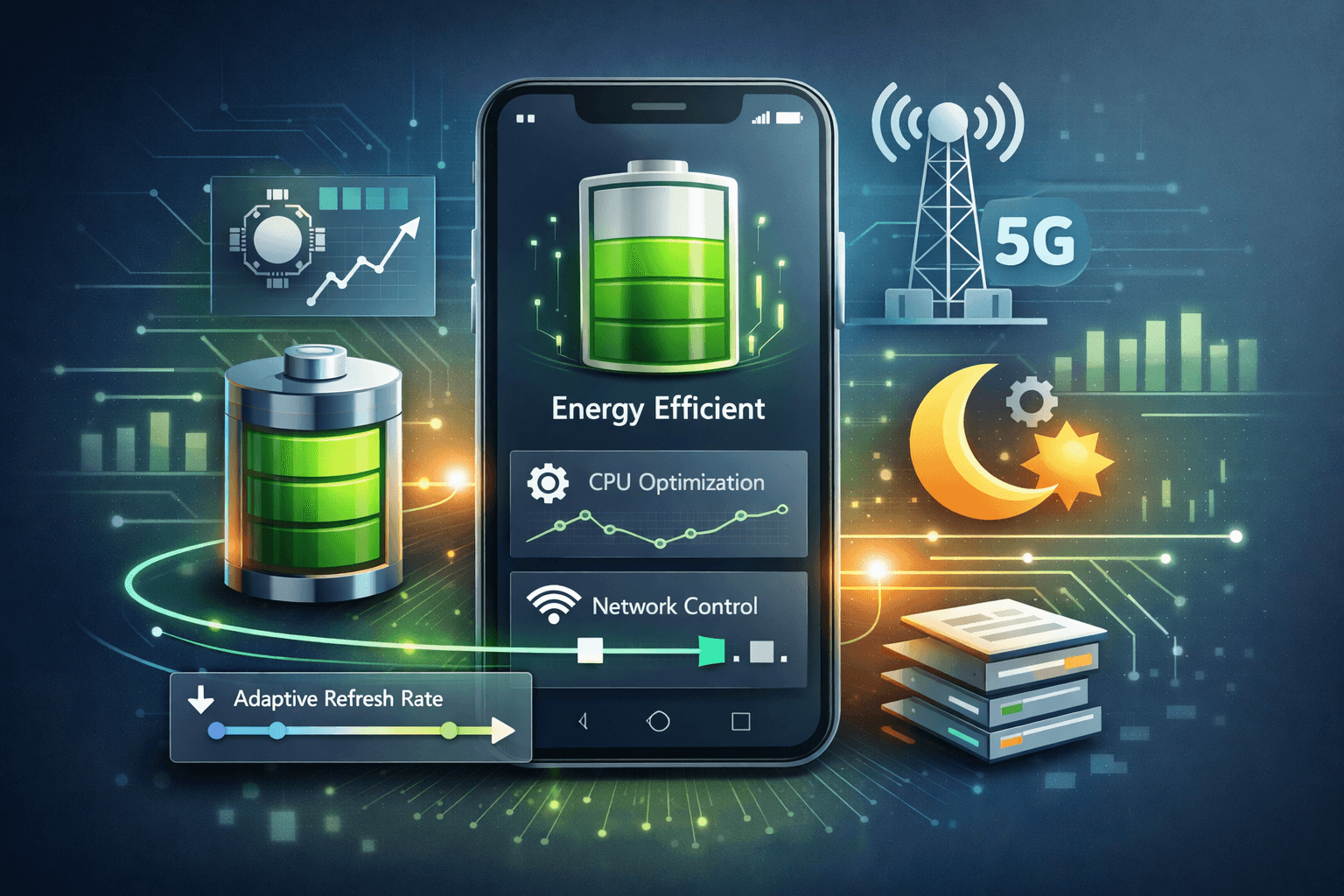
One of the most important aspects of the user experience in the modern mobile applications is battery life. By 2026, smartphones will be more powerful than ever they will run AI models, simulate elaborate animations, have high refresh rates, and always be connected, with 5G and edge networks. However, in spite of new technology in battery chemistry, users are still very judgmental with apps that drain too fast. Speed and visual quality are no longer the only criteria of performance to the mobile developers and software engineers. Energy efficiency has become a high-quality design constraint. These applications that overlook battery behavior face the risk of getting poor reviews, less engagement, and aggressive background limits imposed by the mobile operating systems. Battery-conscious mobile app development is based upon the real-time knowledge of the energy usage of apps and actively predetermining the apps to limit the unnecessary power consumption. This paper examines principles, techniques, and tools, which developers can employ in 2026 to create mobile applications which are neither only powerful, but also respectful of the battery.
Why Battery Awareness Matters More Than Ever
Mobile operating systems have grown very restrictive as concerns energy consumption. Android and iOS now track the execution of all activities in the background, limit the performance of resource-intensive tasks, and punish applications that misuse the resources of the system. Drain on the battery is also a bug that is usually regarded by the user but not a trade-off.
Several trends enhance this challenge:
- AI-driven features such as on-device inference and personalization
- High-refresh-rate displays running at 120Hz or more
- Persistent background services for sync, tracking, and notifications
- Complex UI animations and GPU-intensive visuals
These features make it more experience but more power-consuming. Battery-conscious design makes sure that, more sophisticated functionality is provided on a smart basis, only when it will mean something to the user.
Understanding Battery Behavior (Beyond Percentages)
One of the most widespread errors is that the battery capacity is constant and is not dependent on the patterns of usage. It is a fact that the way energy is used is equally important as the amount of energy used.
Mobile batteries exhibit characteristics such as:
- Discharge rate sensitivity: Rapid bursts of power reduce usable capacity
- Thermal impact: Heat increases internal resistance and energy loss
- Recovery effects: Periods of low usage allow voltage stabilization
From a software perspective, this means that smoother, well scheduled workloads can extend effective battery life, even without reducing total computation. Battery-aware apps avoid constant spikes in CPU, GPU, and network usage. Instead, they batch work, adapt execution timing, and respond dynamically to system conditions.
CPU and GPU Optimization Strategies
1. Avoid Unnecessary Wake-Ups
Frequent background wake-ups are one of the biggest contributors to battery drain. Wake-ups ensure that the device does not get into deep sleep states.
Best practices:
- Batch background tasks using system schedulers
- Avoid polling; rely on push-based updates
- Cancel obsolete jobs immediately
2. Reduce Overdraw and UI Complexity
Excessive redraws and layered UI elements increase GPU workload.
Techniques include:
- Simplifying layout hierarchies
- Avoiding unnecessary transparency
- Reducing animation duration and frequency
On modern gadgets, the smooth UI is anticipated, although it should not be always accompanied by constant animation.
Adaptive Refresh Rates and Display Awareness
High refresh rates improve perceived smoothness but significantly increase power usage. Battery-aware apps adapt refresh behavior based on context.
Examples:
- Use lower refresh rates for static screens
- Reduce animation frame rates during low battery states
- Pause non-essential visual effects when the app is idle
Modern platforms expose APIs that allow developers to respond to system-wide power modes without manual intervention.
Network and Data Transfer Efficiency
Wireless communication is one of the most energy-intensive operations on mobile devices.
Smart Networking Techniques
- Batch API calls instead of making frequent small requests
- Prefer compressed payloads
- Use efficient serialization formats
- Avoid redundant sync operations
Background data transfers should be opportunistic, not continuous. Battery-aware apps respect network availability, signal strength, and power constraints.
Background Execution: Less Is More
Background execution is not a right, rather a privilege in 2026. Applications that abuse it are soon blocked.
Battery-aware design embraces this reality:
- Perform background tasks only when strictly necessary
- Use system-approved scheduling mechanisms
- Defer non-urgent work until charging or Wi-Fi is available
By cooperating with the OS rather than fighting it, apps gain reliability and user trust.
Energy-Aware Scheduling and Workload Shaping Instead of executing tasks as soon as possible, battery-aware apps ask a different question: When is the best time to do this work? Key ideas:
- Delay non-critical computation
- Combine multiple operations into a single execution window
- Spread heavy tasks across time to avoid power spikes
This approach improves both energy efficiency and perceived responsiveness.
Tools for Energy Profiling and Measurement
Battery optimization without measurement is guesswork. Fortunately, modern platforms provide strong tooling.
Common Capabilities:
- CPU and GPU usage tracking
- Network energy attribution
- Wake-lock analysis
- Background execution reports
These tools allow developers to:
- Identify energy hotspots
- Compare alternative implementations
- Validate improvements objectively
Energy profiling should be part of regular performance testing, not an afterthought.
AI Features and Battery Trade-Offs
It has become a part and parcel of AI in mobile applications, including recommendations, vision, and speech processing. AI workloads are power intensive, although they are powerful.
Battery-aware AI design includes:
- Running inference only when necessary
- Preferring on-device inference for privacy-critical tasks
- Falling back to cloud processing when battery is low
- Using lightweight models for background tasks
The goal is intelligent adaptation, not disabling AI altogether.
Designing for User Trust and Transparency Users appreciate apps that respect their device resources. Transparency builds trust.
Examples:
- Clearly explaining why background access is needed
- Allowing users to control sync frequency
- Respecting system power-saving modes automatically
Battery-aware apps feel “polite” they do their job without demanding constant attention or energy.
The Future of Battery-Aware App Design As hardware continues to evolve, energy efficiency will remain a defining constraint. Future mobile platforms are likely to:
- Expose richer energy signals to developers
- Enforce stricter background policies
- Reward energy-efficient apps with better system prioritization
Being battery-conscious is not an optimization issue anymore, it is an essential engineering task. When developers learn how to create apps that are energy efficient, they will create applications that will be longer lasting, smoother and gain user loyalty in a highly competitive ecosystem.
Final Takeaway
Mobile app design that is battery-conscious is concerned with deliberate choice of engineering. With the knowledge of battery behavior, resource use optimization, and distributed adaptation to the circumstances of the system, developers could achieve feasible powerful experiences without compromising the longevity. The most exceptional mobile applications in 2026 will not only operate at speed or be smart, they will be designed to be energy conscious.
Test Your Knowledge!
Click the button below to generate an AI-powered quiz based on this article.
Did you enjoy this article?
Show your appreciation by giving it a like!
Conversation (0)
Cite This Article
Generating...